
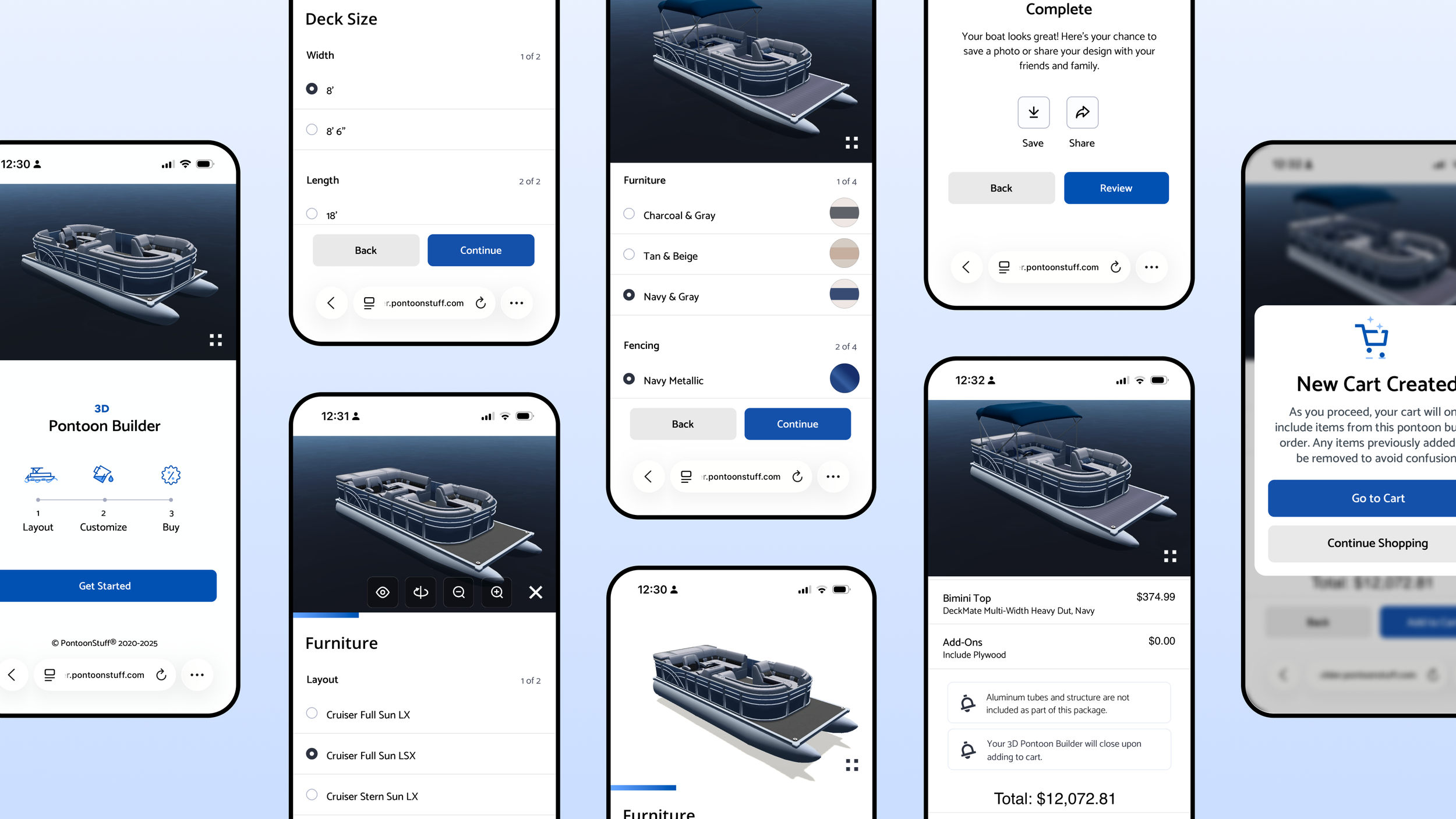
Pontoon Configurator
A mobile-first redesign of PontoonStuff’s 3D configurator, simplifying the customization experience to support complete pontoon builds.
Context
PontoonStuff’s 3D configurator was created to help customers design and purchase complete pontoon furniture layouts online. While the original experience offered robust customization capabilities, it had been designed primarily for desktop and reflected a longer, more complex configuration flow. As the company shifted toward a “boat-in-a-box” strategy focused on larger bundled purchases instead of individual seat sales, the configurator needed to evolve into a more accessible and conversion-focused shopping experience.
Problem
The existing configurator created unnecessary friction for mobile users. Touch targets were too small, text and controls were difficult to navigate on smaller screens, and the overall flow required too many steps before customers could visualize a finished build. For a product centered around large, high-consideration purchases, the experience lacked the simplicity and confidence needed to guide users toward complete layout packages rather than piecemeal ordering.
Opportunity
The redesign focused on transforming the configurator into a more intuitive, mobile-friendly experience that prioritized speed, clarity, and visual decision-making. Rather than overwhelming users with individual components too early, the flow shifted toward curated layout-driven configuration that made it easier to understand complete pontoon setups as cohesive systems. Interaction patterns, typography, and controls were reworked specifically for touch devices, reducing friction across the entire purchase journey while supporting the company’s broader strategy of driving fewer, but significantly larger, orders.
Vision
The updated configurator repositioned the experience from a technical customization tool into a guided retail platform for designing an entire pontoon interior. By simplifying the flow, improving mobile usability, and emphasizing complete layout visualization, the experience helped bridge the gap between inspiration and purchase—making it easier for customers to confidently design, customize, and commit to a full pontoon renovation online.

Original Flow
The first flow was simple and single-stepped, but exhaustive to complete without clear categories (build, color, share, etc.)
Width
Length
Layout
Seat Line
Color Theme
Fencing Color
Helm Console
Deck Flooring
Flooring Color
Bimini Top
Bimini top Color
Add-Ons
Order Summary
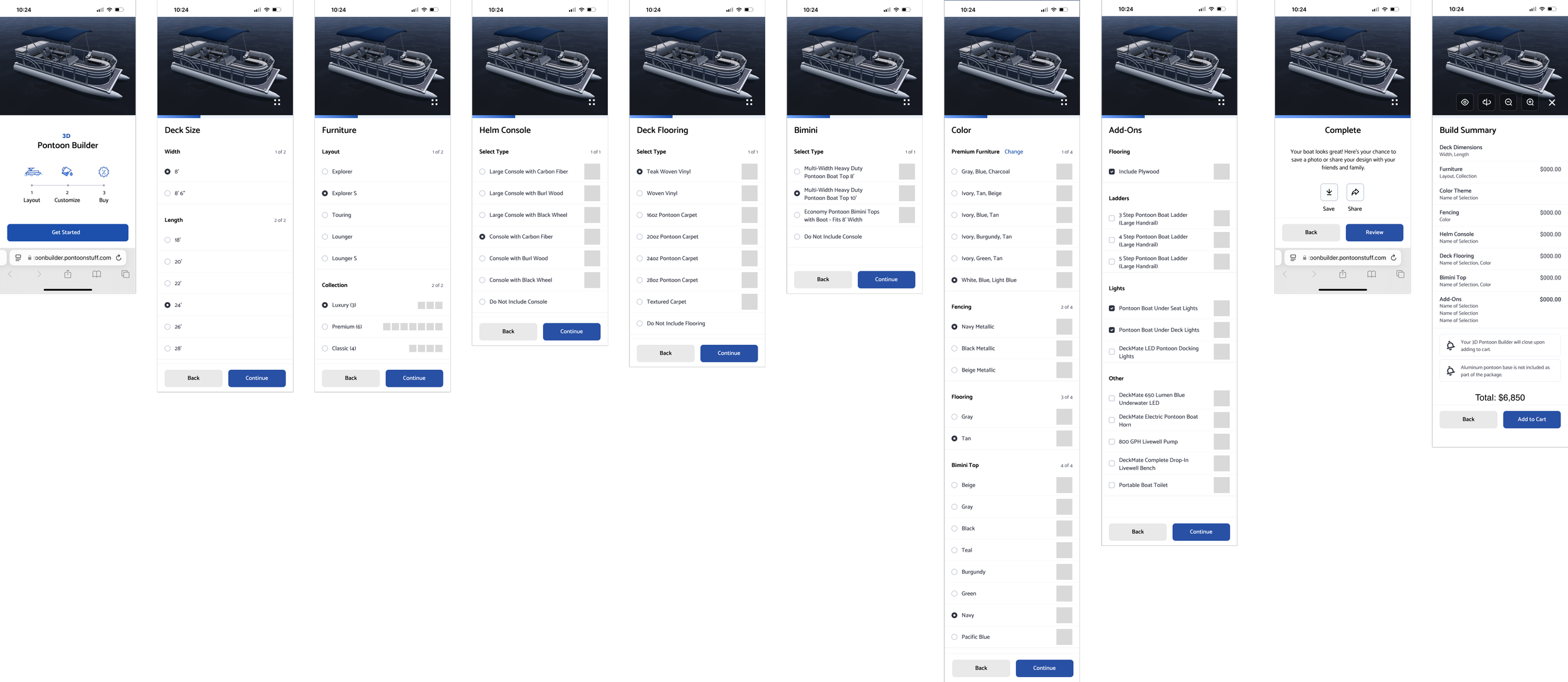
Updated Flow
Introduced on a landing screen, the user was made clear the experience was build first, color second, share/purchase last. A consolidated color page allowed the user to quickly swap colors and customize their boat without switching pages. Overall, the new experience combined similar selections for less clicks and faster decisions.
Deck Size - Width & Length
Furniture - Collection + Layout
Helm Console
Deck Flooring
Bimini Top
Color - Furniture, Fencing, Flooring, & Bimini
Add-Ons
Share/Save - NEW
Order Summary
Visit live configurator at https://pontoonbuilder.pontoonstuff.com/